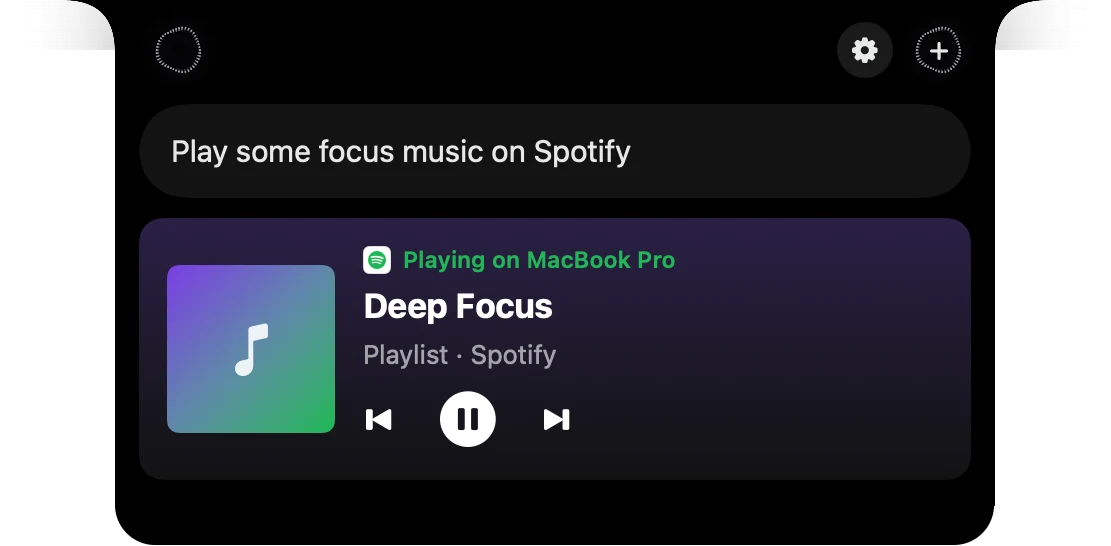
Ask or tell your apps
Speechy's notch assistant answers questions about your apps and does things in them on your Mac. Press ⌥⇧Space and talk, or click the notch at the top of your screen and type. It answers in a sentence or two with the emails, events or files it found, and shows anything it would send before it goes.
How to use Ask or tell your apps
Press ⌥⇧Space
The notch opens at the top of your screen and listens.
Say what you want
Ask a question or give it a job, in your own words.
It checks your apps
One line shows which app it's looking in.
Read the answer
What it found shows as cards, and a follow up keeps the chat going.
What you say, what it does
 Gmail
GmailYou say
“What did Kai send me this week?”
Speechy does
A short answer, with Kai's emails as a card you can click to open.
Calendar
You say
“When am I free tomorrow afternoon?”
Speechy does
The gaps between your meetings, from every calendar on your Mac.
 Slack
SlackYou say
“Tell launch war room I'm ten minutes late”
Speechy does
The message to #launch-war-room, shown in the notch before it sends.
Questions
The ones you turn on in Speechy's Integrations: Gmail, Outlook, Slack, Notion, Google Calendar and 1,000+ more, plus Mail, Calendar, Reminders, Notes, Messages, Music and Finder on your Mac. See Integrations for a page on each popular app.
Not by default. Sends, adds and changes show in the notch first, and after you OK one you get 3 seconds to undo.
Yes. Your voice is transcribed on your Mac, but the words of your request go to Speechy's assistant to work out the answer.
The notch assistant comes with a Speechy plan or trial, with up to 240 requests an hour.