The best Dragon alternatives for Mac in 2026
Nuance stopped selling Dragon for Mac in 2018, and today's Dragon runs on Windows only. These are the Mac apps that replace it, from free Apple Voice Control to Speechy, which keeps your voice on your Mac and also answers from your apps. We make Speechy, so it is listed first.
Short answer
For dictation that stays on your Mac, plus answers from Gmail, Outlook, Calendar, Finder and 1,000+ apps: Speechy. For control of your whole Mac by voice, free: Apple Voice Control. Just dictation, free: Apple Dictation.
Ask your apps
Ask a question, get the answer from your own apps
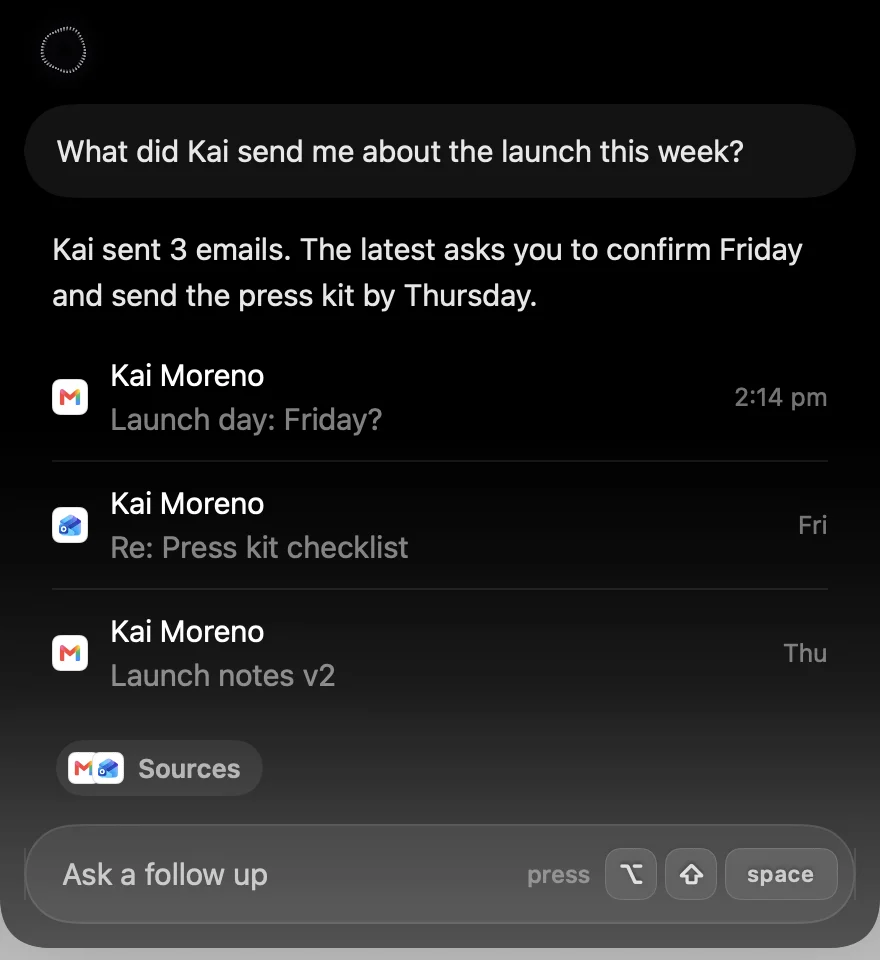
Press ⌥⇧Space and ask. Speechy looks in Gmail, Outlook, Calendar, Slack, Notion, Music, Finder and 1,000+ more apps, and answers in the notch with the emails, events or files it found.






 + 1,000 apps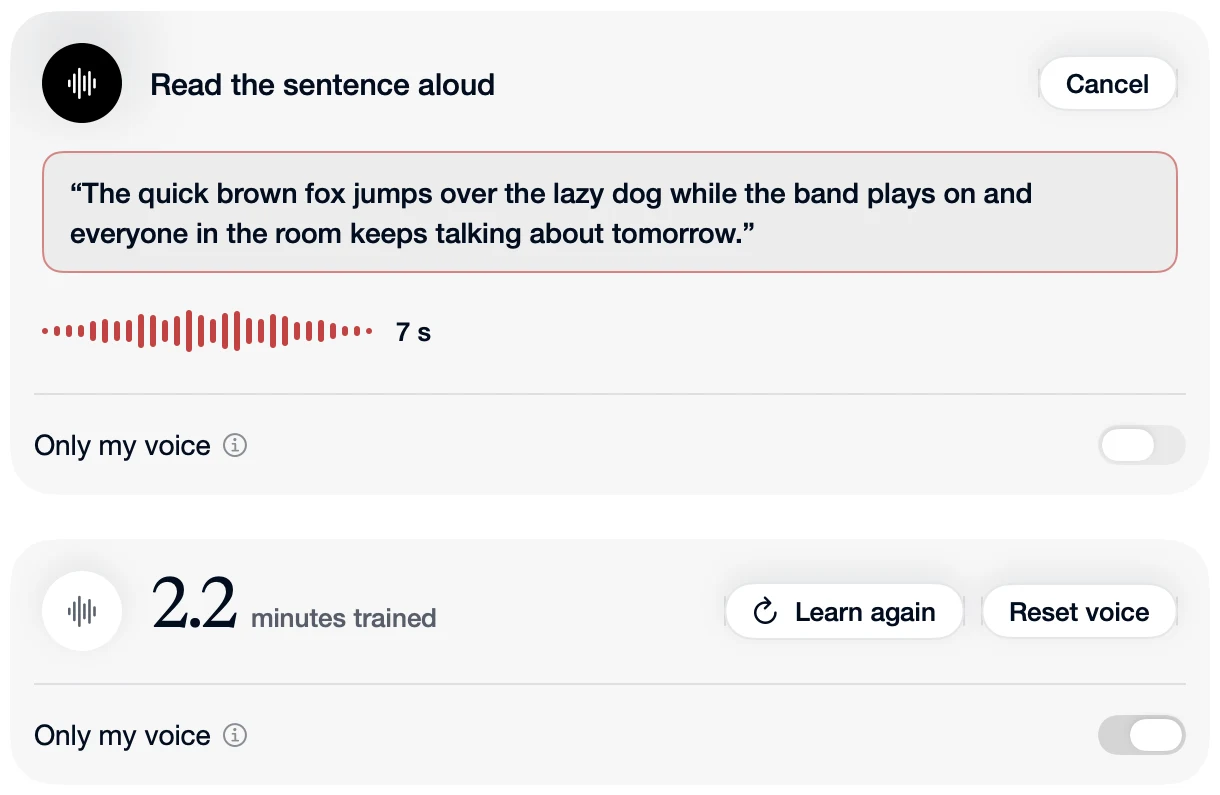
Private voice
Your voice is turned into text on your Mac
Nothing you say is uploaded to be transcribed. Turn on Only My Voice and Speechy learns how you sound, leaves out other voices nearby, and keeps learning as you use it, all on your Mac.
Asking your apps sends your question as text to the AI that answers it. Your voice recording stays on your Mac.
Dragon was the dictation app for the Mac for years. Nuance discontinued Dragon Professional Individual for Mac in October 2018, and the Dragon Professional sold today runs on Windows only. If you dictated with Dragon on a Mac, you need something new, and what Dragon users usually miss is accurate dictation, their own words and names spelled right, and voice commands to fix what they said.
Side by side
| App | Answers from your apps | Where your voice goes | Price |
|---|---|---|---|
 Speechy Speechy | Yes, 1,000+ apps | Your Mac, always | From $99 once, or $12.99 a month |
| Dragon | No | Your PC | No public price |
| Apple Voice Control | No | Your Mac | Free |
| Apple Dictation | No | Your Mac for some languages | Free |
 Wispr Flow Wispr Flow | A few: Gmail, Calendar, Slack | Cloud, always | $15 a month, or $12 billed yearly |
 Superwhisper Superwhisper | No | Cloud by default, local optional | $8.49 a month, or $249.99 once |
 VoiceInk VoiceInk | No | Your Mac, or cloud with your own key | $25 once |
1. Speechy: best if you want more than dictation
Speechy turns your voice into text on your Mac, and also answers from the apps you connect. Press ⌥⇧Space and ask “what did Kai send me about the launch?”, “what’s on tomorrow?” or “open my Downloads folder”, and the answer appears in the notch with the emails, events or files it found. It works with Gmail, Google Calendar, Outlook, Slack, Notion, GitHub, Linear and 1,000+ more apps, plus Mail, Calendar, Reminders, Notes, Messages, Music and Finder on your Mac. You sign in to each app once, in your browser.
It can act too. Ask it to email someone and you see Gmail’s own compose window in the notch: check it, change a word, then send, with a few seconds to undo. You choose what each app may do on its own, what asks first, and what never happens.
Dictation never leaves your Mac. Hold Fn, speak, and clean text lands where your cursor is. All 15 speech models run on your Mac’s chip, so dictation works offline, and your words show in a small pill while you talk. Turn on Only My Voice and Speechy learns how you sound, leaves out other voices nearby, and keeps learning as you use it, on your Mac.
Coming from Dragon, you'll find Speechy cleans up as you go: ums and restarts disappear, "sorry, I mean" keeps only the corrected sentence, and "number one, number two" becomes a list. Add your own words, names and replacements in Speechy's Dictionary so they're spelled your way.
Speechy is not a full voice control system: it doesn't click buttons or move the pointer for you. If you need that, use Apple Voice Control below, alongside Speechy or on its own.
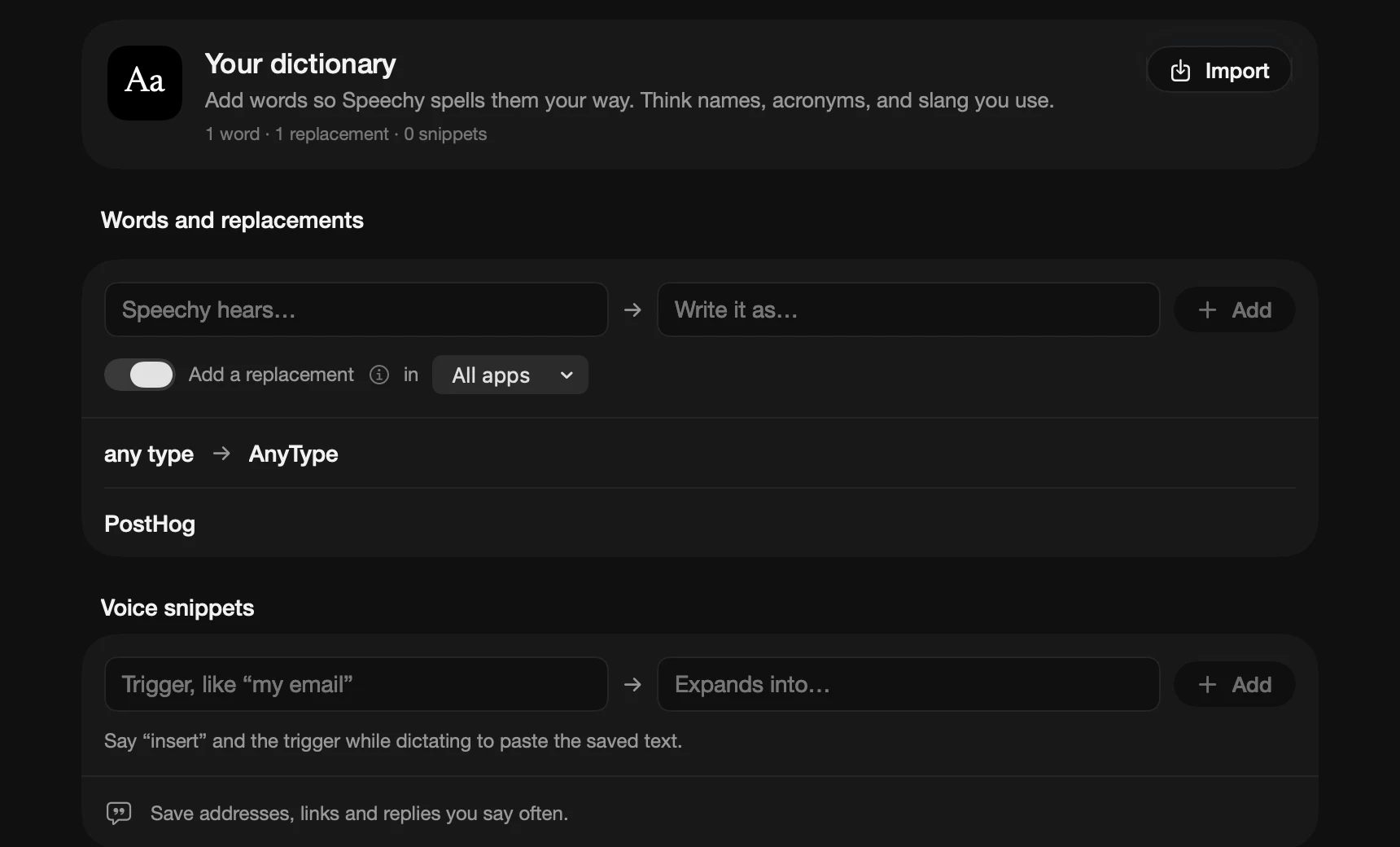 Speechy's Dictionary, with your own words and replacements
Best for: people who want private dictation, and one shortcut that also finds, answers and does things in their apps.
Price: Lifetime from $99, or Pro at $12.99 a month. Try Pro free for 3 days.
Needs: a Mac with Apple silicon and macOS 14 or later.
2. Apple Voice Control: best for controlling your whole Mac by voice
Built into macOS and free. Turn it on in System Settings, under Accessibility, then Voice Control. Say "open Mail", "click Send" or "scroll down", show numbers or a grid over the screen to click anything, and dictate and fix text with commands like "select previous word". It is the closest thing on a Mac to Dragon's commands.
Best for: people who need hands-free control of every app, not just dictation.
Price: free.
3. Apple Dictation: best free dictation
Already on your Mac, and free. Press the Dictation shortcut, speak into any text field, and press it again to stop. Some languages are transcribed on your Mac. On macOS 27, Macs with an M3 or later and 12 GB of memory get Apple's newer dictation, which adds punctuation and formatting. There is no custom vocabulary, and it stops after 30 seconds of silence.
Best for: trying dictation before you pay for anything.
Price: free.
4. Wispr Flow: best for dictation on every device
The best known dictation app. It cleans up your words well and runs on Mac, Windows, iPhone and Android, with team plans and meeting notes. Everything is transcribed in the cloud, so dictation needs a connection, and using your dictations to improve its models is on by default on Free and Pro. Its connectors bring Gmail, Calendar and Slack into its meeting notes and questions.
Best for: people who dictate on Windows or their phone as much as on a Mac.
Price: a free plan that slows down after 2,000 words a week, or Pro at $15 a month, or $12 a month billed yearly.
5. Superwhisper: best for local or cloud models on every platform
Many local and cloud models, Modes that run your own AI prompts, meeting recording and file transcription, on Mac, Windows, iPhone and Android with one license. Its docs start you on its own cloud models, and its best local models need Pro.
Best for: people who want deep control over models and prompts, on every device.
Price: a free plan with local Whisper models, Pro at $8.49 a month, $84.99 a year, or $249.99 once.
6. VoiceInk: best open source app you pay for once
Open source under GPL-3.0, with local models on your Mac or an optional cloud service. Streaming models show words as you speak, and you set the language per mode. It is on iPhone too.
Best for: people who want local dictation, the source code, and a small one-time price.
Price: $25 once for one Mac ($39 for two, $49 for three), or free if you build it yourself. Needs macOS 15.
If you still need Dragon
Dragon Professional is still sold, for Windows only, through Nuance's sales team and resellers. Using it on a Mac means running Windows in a virtual machine, which most people find more trouble than switching. Dragon Anywhere, the phone app, stopped selling on 1 July 2026.
The short version
For hands-free control of your Mac, turn on Apple Voice Control; it's free. For dictation that keeps your voice on your Mac, cleans up as you speak, knows your own words, and also answers from Gmail, Outlook, Calendar, Finder and 1,000+ apps, use Speechy.
Details checked on 20 October 2026 on each app's own site. Prices and features change, so check before you decide.