
Dictate in Notion on your Mac, and ask about your pages
Hold Fn and speak into any Notion page: Speechy types it, transcribed on your Mac. Connect Notion and search your workspace, read a page, or add a new one from anywhere.
Dictate into Notion
Click into a page, hold Fn and speak. Say a list and Speechy writes it as one.
You say“we need three things: a budget, a timeline, and an owner”
Speechy typesWe need three things:
- A budget
- A timeline
- An owner
Ask about your workspace
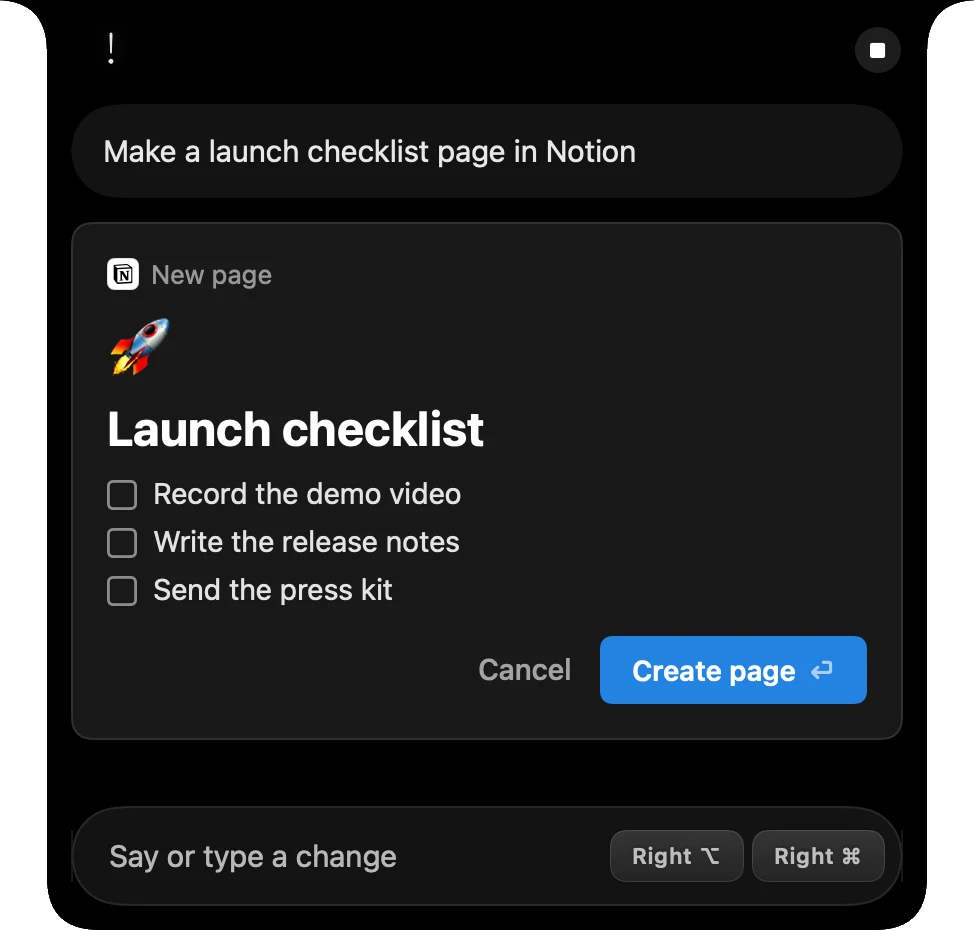
Press ⌥⇧Space from any app and ask. Speechy searches your pages and databases and answers in the notch. New pages show in the notch first.
Try saying
- Pull the Q3 numbers from the board review doc
Asking sends your question as text to the AI that answers it. Your voice recording stays on your Mac.
What Speechy can do in Notion
You choose for each one: Always, Ask first (it shows in the notch before it runs) or Never.
- Search and read pagesYour workspace and databasesAlways
- Create and add to pagesShows the page in the notch firstAsk first
Set up Notion in three steps
- Download SpeechyFor Macs with Apple silicon and macOS 14 or later.
- Turn on NotionIn Integrations, sign in to Notion once, in your browser.
- AskPress ⌥⇧Space and try “Pull the Q3 numbers from the board review doc”
More integrations
 Gmail
Gmail Outlook
 Slack
Slack Linear
 Google Docs
 Reminders
 iMessage
 Obsidian
 Claude Code
Say it. Speechy writes it.
Hold Fn, speak, and clean text lands in any app on your Mac.